
Download
Two supported routes: the portal with the command it generates, or the same humancoin-download command typed by hand.
The data portal
The HumanCOIN DataManager is the public catalog for released data.
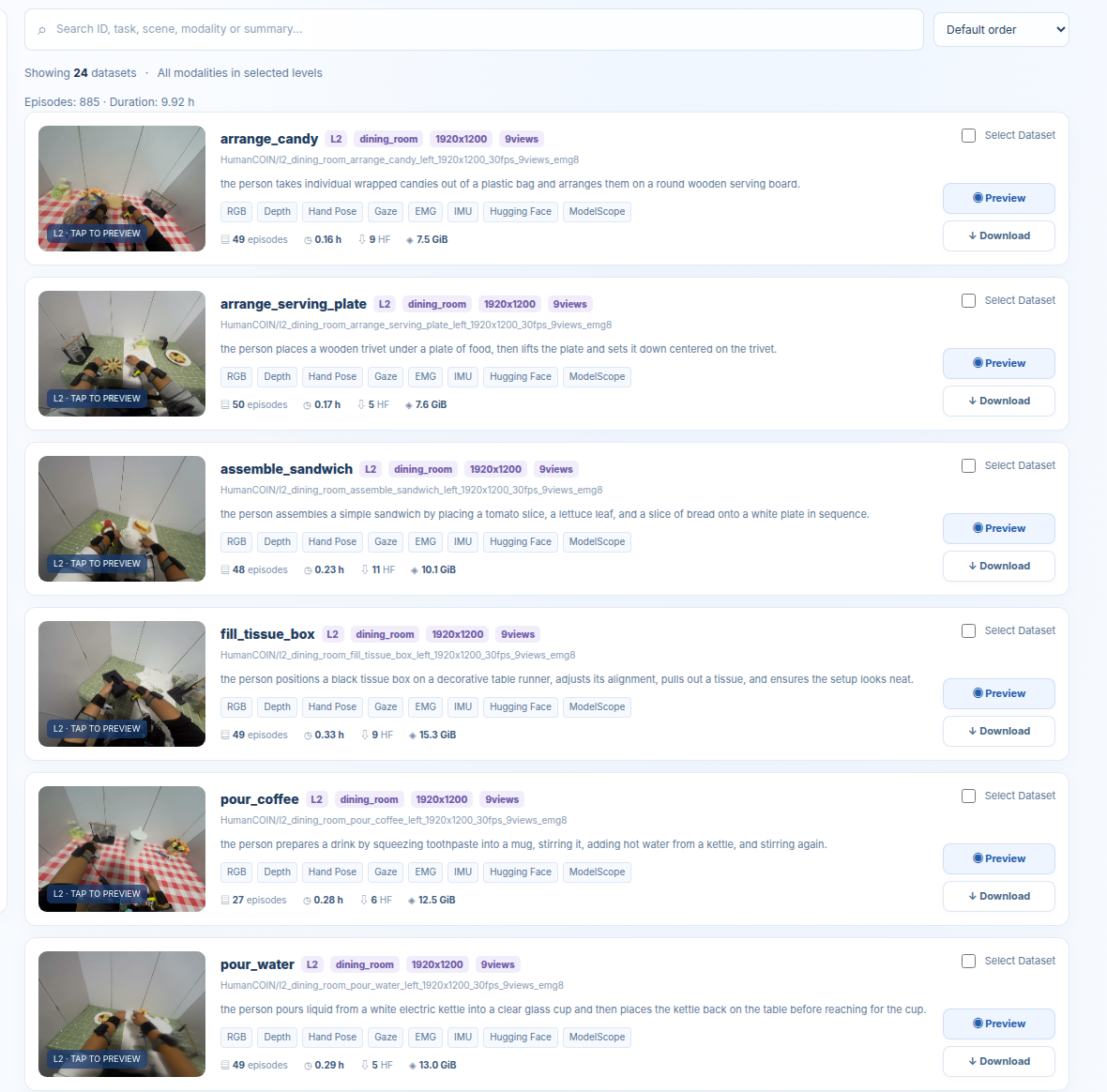
Explore Datasets: search and compare released repositories; each card exposes its sensor set, size and Preview/Download actions.
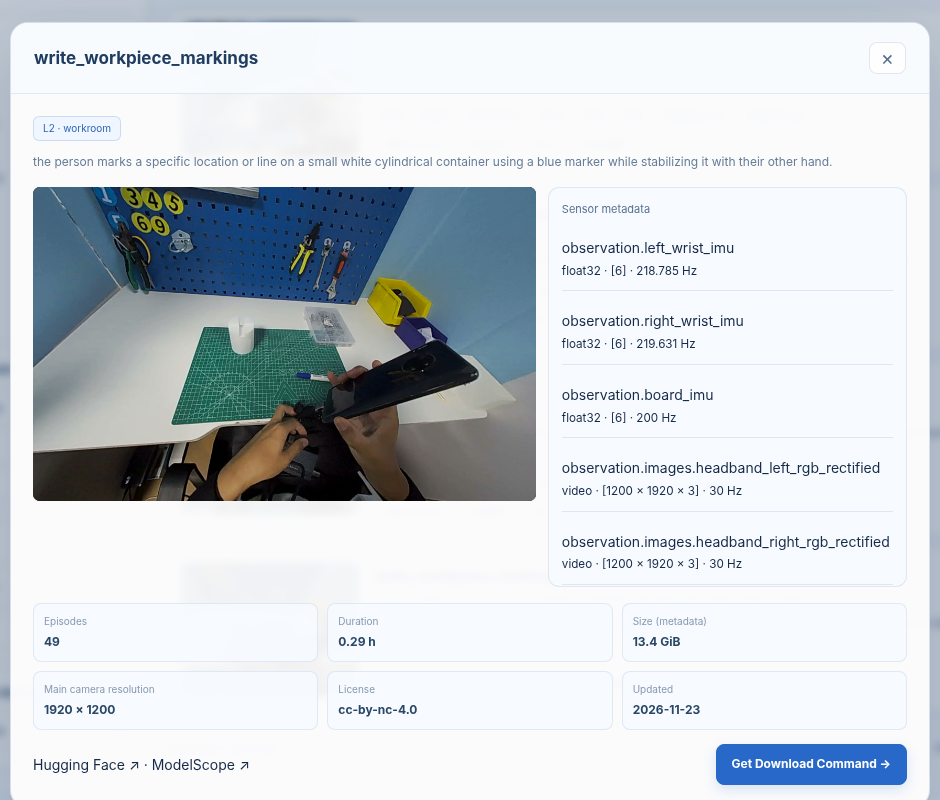
A dataset card: task, per-stream metadata, episode count, duration, size, license, and Get Download Command.
- Browse. Filter by data level, modality, scene, task and main-camera resolution.
- Preview. Check the task, stream list, episodes, duration, size and license.
- Select. Tick one or more complete repositories. The selection is kept in browser storage and can be exported/imported as
selection.json. - Choose a source. Hugging Face or ModelScope. A repository may exist on one hub only.
- Generate the command. The command selects the revision shown on the card.
humancoin-download --hub huggingface \
  --datasets 'HumanCOIN/<repository>' \
  --revision '<commit-or-master>' \
  --target-dir ./data --max-workers 8
Run it in the terminal where you authenticated. --dry-run prints the destination and include/exclude patterns without downloading.
Repository names
l1_study_room_fill_task_1920x1456_30fps_2views
│  │          │    │        │      │     └─ released camera views
│  │          │    │        │      └─ frame rate
│  │          │    │        └─ main camera resolution
│  │          │    └─ task
│  │          └─ scene
│  └─ tier
L2/L3 names add the sensor kit, e.g. ..._9views_emg8 or ..._12views_eeg128_emg8.
CLI
humancoin-download --help
# or: python -m humancoin.download --help| Flag | Meaning |
|---|---|
--hub {huggingface,modelscope} | source hub |
--datasets A B ... | one or more repository names or owner/name IDs |
--revision REV | branch, tag or commit |
--target-dir DIR | download root; files go to DIR/HumanCOIN/<name> |
--max-workers N | parallel downloads |
--include / --exclude | relative-path globs for partial downloads |
--dry-run | print the plan only |
--token TOKEN | access token; prefer environment variables |
Examples:
# several repositories
humancoin-download --hub huggingface \
  --datasets 'HumanCOIN/l1_study_room_fill_task_1920x1456_30fps_2views' \
             'HumanCOIN/l3_bedroom_fold_clothes_eye_1600x1200_30fps_12views_eeg128_emg8' \
  --target-dir ./data --max-workers 8

# inspect the plan
humancoin-download --datasets 'HumanCOIN/l1_study_room_fill_task_1920x1456_30fps_2views' \
  --target-dir ./data --dry-run
Re-running resumes: the hub SDK reuses files already present. A failure on one repository does not stop the others; the process exits nonzero if any fail.
Hugging Face access
Most repositories are gated. Open the dataset page, request access, wait for approval, then:
hf auth login
hf auth whoami
A 401/403 usually means the approval is missing or the token belongs to a different account.
ModelScope
ModelScope mirrors the catalog. For a gated repository:
- Request access on the ModelScope dataset page with the account you will use.
- Create a ModelScope access token from that same account.
- Export it interactively so it does not land in shell history:
read -rsp 'ModelScope Token: ' MODELSCOPE_TOKEN
printf '\n'
export MODELSCOPE_TOKEN- Select the repository, switch the source to ModelScope, and generate the command:
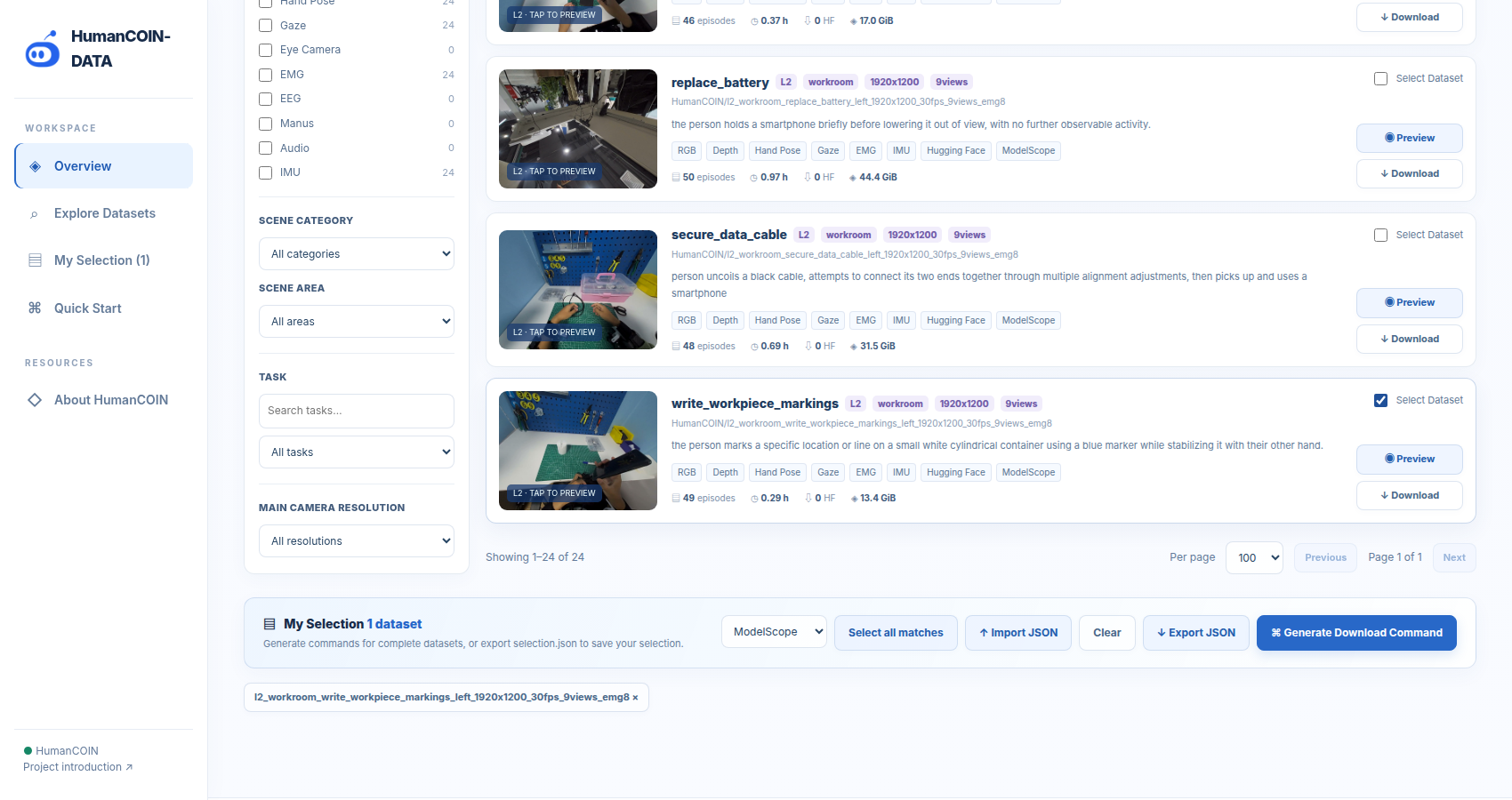
Select complete repositories, choose ModelScope, then Generate Download Command. The same bar exports selection.json.
humancoin-download --hub modelscope \
  --datasets 'HumanCOIN/l2_workroom_write_workpiece_markings_left_1920x1200_30fps_9views_emg8' \
  --revision 'master' \
  --target-dir ./data --max-workers 8
Files land in ./data/HumanCOIN/<repository>/, with the same layout as Hugging Face. --dry-run, --include/--exclude and selection.json work the same for both hubs. The downloader reads MODELSCOPE_TOKEN or MS_TOKEN; --token also works. master is mutable: pin a commit or tag when you need byte-identical reproducibility.
Disk and verification
Sizes vary: the quick-start L1 example is 65 MB, while L2/L3 repositories are multi-GB and the largest exceed 60 GB. The full published catalog is roughly 7.5 TB.
A flat L2/L3 repository has meta/info.json at its root; an L1 repository has one <task>/meta/info.json per recording. A complete task directory also has at least one data/chunk-*/episode_*/master_index.parquet.